HeLa MCP Ecosystem
Getting started
README.md
Original source language. Download source · All documents
A modular, immortal cellular AI tooling ecosystem built on the Model Context Protocol (MCP), engineered by Azzar to equip AI agents with full-spectrum autonomous capabilities across reasoning, persistent memory, workspace management, system execution, research, design, device automation, and 3D modeling.
New to MCP? Read the Beginner's Guide for requirements, profile selection, installation, and verification.
Read all documentation on the website: Document library · Navigasi Bahasa Indonesia. Guides, release history, contribution rules, and verification reports are published in full, with search and source downloads. Documents retain their source language.
Current source snapshot: v1.6.2, with runtime 1.2.0. True first-call startup, fingerprinted discovery caches, canonical inventory tooling, and all-profile checks are implemented; see on-demand runtime. Authenticated Zed/Codex ACP sessions, hardware integrations, and live vault conflict resolution remain separate; see release notes.
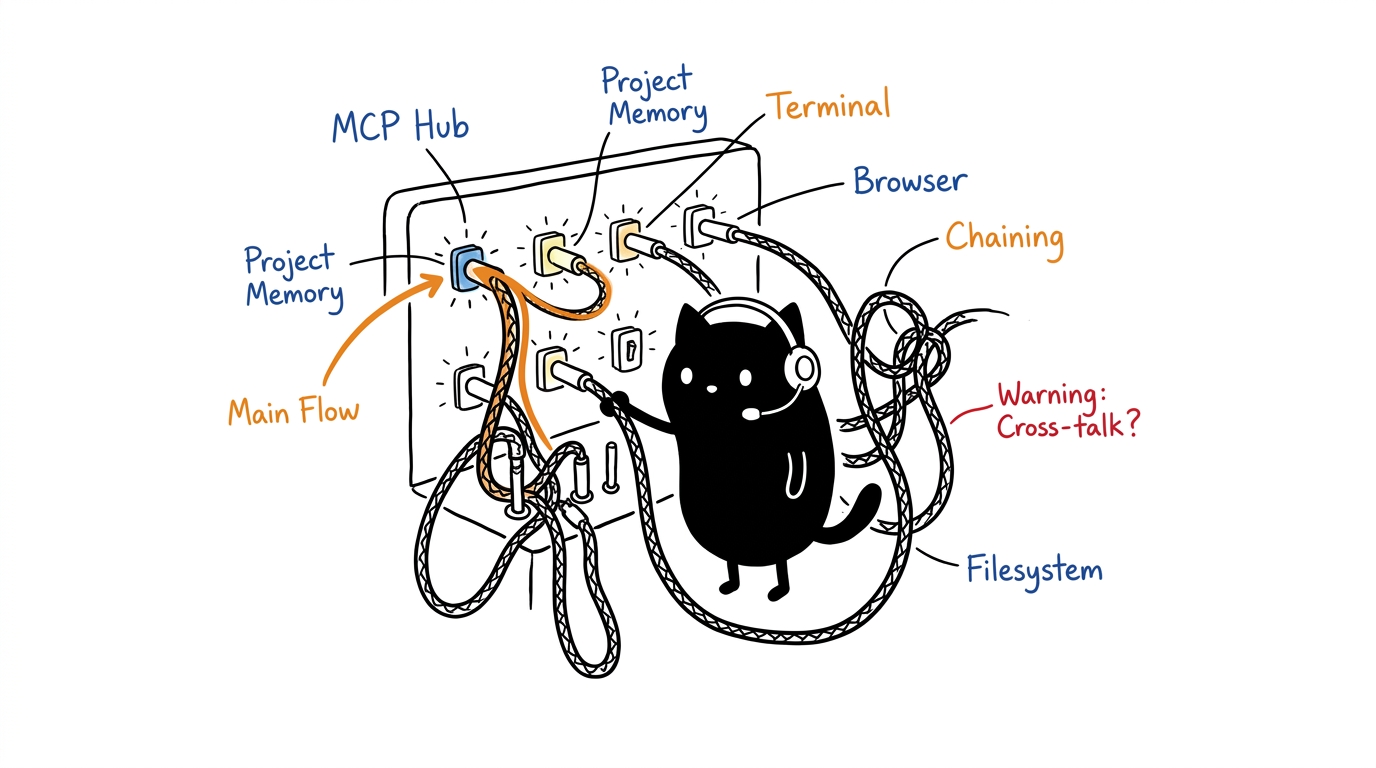
Respectful Attribution & Metaphor
The HeLa MCP Ecosystem is named in respectful recognition of Henrietta Lacks (1920–1951) and the immortal scientific legacy of HeLa cells, which transformed global biomedical research. In this software architecture, HeLa serves as a cellular biology metaphor:
- Cellular Modularity: Just as biological cells contain specialized organelles coordinated by the nucleus and genome, the HeLa MCP Ecosystem deploys specialized tool servers coordinated by a dual backbone.
- Continuous Replicability & Immortality: Environments can be snapshot-pinned, reproduced deterministically on any machine, and restored cleanly without state degradation.
- Component Independence: Underlying repositories, technical package names, and Git commit histories remain autonomous and unaltered while functioning as a harmonious organism.
Dual-Backbone Architecture
Every profile in the HeLa ecosystem is anchored by two core backbone servers:
flowchart TB
    Agent["Agent / LLM Orchestrator"]

    Mitosis["HeLa Mitosis<br/>(Orchestrator)<br/>- Dynamic Routing<br/>- Step Reasoning<br/>- Tool Planning"]
    Genome["HeLa Genome<br/>(State & Memory)<br/>- Knowledge Graph<br/>- Entities / Relations<br/>- Observations"]

    Membrane["HeLa Membrane<br/>Workspace FS"]
    Nucleus["HeLa Nucleus<br/>Command Exec"]
    Ribosome["HeLa Ribosome<br/>PTY Harness"]
    Enzyme["HeLa Enzyme<br/>Research / Wiki"]
    Cytosol["HeLa Cytosol<br/>Browser DOM"]

    Agent -- "stdio JSON-RPC" --> Mitosis
    Agent -- "stdio JSON-RPC" --> Genome
    Mitosis <-->|"Shared Context"| Genome
    Mitosis --> Membrane & Nucleus & Ribosome & Enzyme & Cytosol
    Genome --> Membrane & Nucleus & Ribosome & Enzyme & Cytosol
- HeLa Mitosis (
hela-mitosis): Cellular division and orchestration backbone. Handles dynamic tool routing, prompt decomposition, Needle-backed sequential reasoning (sequentialthinking/agent_run), and multi-tool planning. - HeLa Genome (
hela-genome): Cellular memory and state backbone. Maintains the persistent SQLite knowledge graph (memory.db), entity-relation tracking, session restoration, and project milestones.
10-MCP Component Taxonomy
| Canonical Identity | Machine ID (id) |
Technical Source Repo | Scope | Cellular Metaphor & Role |
|---|---|---|---|---|
| HeLa Mitosis | hela-mitosis |
chaining-mcp |
Core | Orchestrator: Bundled Needle 3 agent runtime, dynamic routing, 40 bundled prompt templates |
| HeLa Genome | hela-genome |
project-mcp |
Core | State Backbone: Entity-relation knowledge graph, milestone tracking, memory persistence |
| HeLa Membrane | hela-membrane |
filesystem-mcp |
Core | Workspace: Sandboxed filesystem operations, recursive search, archive extraction |
| HeLa Nucleus | hela-nucleus |
terminal-mcp |
Core | Execution: Command execution, subshell isolation, RTK token-optimized execution |
| HeLa Ribosome | hela-ribosome |
menager-mcp |
Core | Process Harness: Interactive PTY multiplexing, Regex hooks, lifecycle management |
| HeLa Enzyme | hela-enzyme |
researcher-mcp |
Core | Knowledge: Zero-key dual-tier web search + arXiv + Google News RSS + Wikipedia synthesis and fact-checking |
| HeLa Cytosol | hela-cytosol |
browser-mcp |
Core | Interaction: Playwright browser automation, accessibility trees, DOM perception |
| HeLa Phenotype | hela-phenotype |
designer-mcp |
Specialized | Design: UI/UX design tokens, OKLCH color palettes, Tailwind and component synthesis |
| HeLa Receptor | hela-receptor |
scrcpy-mcp |
Specialized | Mobile: Android device automation, ADB bridge, XML view hierarchy inspection |
| HeLa Plastid | hela-plastid |
ll3m-mcp |
Specialized | 3D Modeling: Autonomous Blender procedural modeling, materials, and render pipeline |
Quick Start
1. Prerequisites
- Node.js: use Node 22 LTS for the tested full stack. Individual packages declare their own engine ranges; Receptor requires 22 and Enzyme requires at least 20.18.1.
- Git:
>= 2.30.0 - SQLite: Genome uses Node bindings; the SQLite CLI is optional for inspection.
🤖 Install via AI Agent (One-Click Copy)
If you are using an AI coding assistant (Cursor, Claude Code, OpenCode, Codex, Antigravity, Windsurf), you can copy and paste this autonomous prompt directly into your agent's chat:
Please autonomously install and configure the HeLa Cellular MCP Ecosystem through one profile-aware hela-runtime MCP endpoint:

1. Environment & Harness Detection:
   Verify Node.js (>= 22.x LTS), Git (>= 2.30.0), and build tools. Identify current client (Cursor, Claude, OpenCode, Antigravity, Zed, Codex).

2. Confirm the profile with the user before installing:
   Show https://hela.my.id/profiles.html for the quick comparison, and https://hela.my.id/library/docs/profiles.html for detailed persona, workflow, server membership, and prerequisite explanations. Ask which profile best fits the user's work: minimal, dev-workspace, headless-server, research, web-devops, android-testing, 3d-modeling, or all.
   Wait for the user's choice and call it <confirmed_profile>. If they do not choose, use minimal. Do not run setup until the profile is confirmed.

3. Clone & Install the Managed Runtime:
   git clone https://github.com/Hela-Ecosystem/hela-mcp-ecosystem.git
   cd hela-mcp-ecosystem && chmod +x setup.sh update.sh
   ./setup.sh --profile <confirmed_profile> --client <detected_client> --mode runtime --non-interactive
   ./setup.sh doctor --profile <confirmed_profile> --mode runtime
   Safely merge generated client configuration into my active MCP configuration file.
   Do not deploy or configure each hela-* cell as a separate client server.

4. Synchronize Companion Skills:
   Link or copy ecosystem companion skills matching <confirmed_profile> from project-mcp/skills, designer-mcp/skills, browser-mcp/skill, and chaining-mcp/skills into ~/.agents/skills/.

5. Load the Runtime Profile Context:
   - Do not create or copy a static persona prompt into the workspace.
   - After connecting, read the `hela://profile/context` resource or request the `hela-profile-bootstrap` MCP prompt.
   - Treat the selected runtime profile as the authority for active organelles and available tools.

6. Final Handshake:
   Initialize the workspace memory graph through the exposed Genome tool when that organelle is active, and confirm the selected profile and runtime tools.
2. Run Diagnostics (setup.sh doctor)
Clone the source, then select an installation mode:
git clone https://github.com/Hela-Ecosystem/hela-mcp-ecosystem.git
cd hela-mcp-ecosystem
./setup.sh --mode runtime --profile dev-workspace --client opencode --non-interactive
./setup.sh doctor --mode runtime --profile dev-workspace
3. Interactive Installation & Profile Selection
./setup.sh
4. Non-Interactive One-Liners
Full Developer Desktop (Cursor IDE):
./setup.sh --profile dev-workspace --client cursor --non-interactive
Headless Linux Server (Claude Desktop / CLI):
./setup.sh --profile headless-server --client claude --non-interactive
Pinned Immutable Release Snapshot:
./setup.sh --profile dev-workspace --client cursor --snapshot v1.6.2 --non-interactive
Single-endpoint Runtime (one MCP connection for the selected profile):
./setup.sh --profile dev-workspace --client opencode --runtime --non-interactive
Change an existing installation's mode in place:
./setup.sh mode --prefix /path/to/prefix --mode docker-runtime --client opencode --non-interactive
Docker cells, Docker runtime, or Nix runtime:
./setup.sh --mode docker --profile dev-workspace --client cursor --non-interactive
./setup.sh --mode docker-runtime --profile dev-workspace --client opencode --non-interactive
./setup.sh --mode nix --profile dev-workspace --client codex --non-interactive
Installs use private managed prefixes under ${XDG_DATA_HOME:-$HOME/.local/share}/hela/installations/. Existing repositories and live client files are not overwritten. Review and merge the generated client fragment. Use --prefix for an explicit location and pass it to doctor. See installation modes and doctor for HTTP transport, Compose, Nix GC roots, snapshots, optional model assets, prerequisites, and failure recovery.
Supported AI Clients & Output Formats
The installer writes private fragments inside its prefix, never directly into live client files:
- Cursor, Claude, Gemini, Antigravity:
mcpServersJSON. - OpenCode and Kilo:
mcpJSON with an installed local launcher, or a runtime HTTP URL. - Zed:
context_serversJSON; preserve unrelated settings when merging. - Codex:
[mcp_servers.*]TOML, with a launcher or HTTP URL. - Docker: functional
compose.jsonfor the built image, not speculative per-cell Dockerfiles or stdio port mappings.
--client skip installs without generating a client fragment. Client authentication and GUI acceptance remain separate.
Available Agent Profiles
| Profile ID | Target System | Backbone Included | Servers Included | Focus Area |
|---|---|---|---|---|
minimal |
Any | Mitosis + Genome | Enzyme | Research and memory without GUI dependencies |
dev-workspace |
Any (GUI recommended) | Mitosis + Genome | Membrane, Nucleus, Ribosome, Enzyme, Phenotype, Cytosol | Full-stack software engineering, testing, web UI |
headless-server |
Headless Linux | Mitosis + Genome | Membrane, Nucleus, Ribosome, Enzyme, Phenotype | Cloud server administration, CI/CD, headless dev |
research |
Headless or GUI | Mitosis + Genome | Enzyme, Membrane, Cytosol | Deep literature research, document synthesis, web crawling |
web-devops |
Headless or GUI | Mitosis + Genome | Membrane, Nucleus, Phenotype, Cytosol | Frontend development, Tailwind styling, DOM verification |
android-testing |
Device connected | Mitosis + Genome | Nucleus, Receptor, Enzyme | Mobile QA testing, ADB automation, APK validation |
3d-modeling |
GUI (Blender installed) | Mitosis + Genome | Plastid, Membrane, Nucleus | 3D procedural modeling, materials, rendering |
all |
Full workstation | Mitosis + Genome | All 10 HeLa MCP servers | Complete full-spectrum AI agent capabilities |
Single-endpoint serve mode: add
--runtimeto a profile command. If no profile is selected, the runtime and installer default tominimal; choosedev-workspaceor another profile explicitly.
Profiles are installation choices, not machine-specific code paths. All eight pass isolated runtime verification with namespacing off/on (16 checks), including exact tool/schema parity and safe read-only routing. Lappy's ten-server all roster and servy's eight-cell dev-workspace setup remain different by design. See all-profile verification; run npm run test:profiles, or append -- --profile <id> on a partial installation.
Runtime discovery now starts zero cells; only invoked cells are started. Generated profile counts come from the inventory/catalog rather than static client-specific totals. ./setup.sh doctor --profile <id> --runtime checks cold catalog parity as well as versions, paths, and revisions.
For complete persona guides and pipeline specifications, see Profiles Catalog.
Operational Workflows (Workflows A–F)
The ecosystem is built for structured multi-server agent workflows:
- Workflow A: Autonomous Feature Engineering: Genome (restore) → Mitosis (decompose) → Membrane (code) → Nucleus (test) → Genome (persist).
- Workflow B: Deep Research & Architecture Synthesis: Enzyme (search) → Cytosol (scrape) → Mitosis (synthesize) → Genome (record) → Membrane (write).
- Workflow C: Web Feature with Design & Browser Verification: Phenotype (tokens) → Membrane (build) → Nucleus (serve) → Cytosol (DOM QA) → Genome (record).
- Workflow D: Mobile App Test Automation: Genome (issue) → Nucleus (adb) → Receptor (drive UI) → Genome (record pass).
- Workflow E: Autonomous 3D Asset Creation & Render Pipeline: Genome (spec) → Mitosis (plan) → Plastid (Blender) → Membrane (save) → Genome (record).
- Workflow F: Long-Horizon Complex Refactor with PTY Harness: Ribosome (PTY) → Nucleus (exec) → Genome (persist).
For step-by-step tool invocation sequences, schemas, and diagrams, see Workflows & Integration Guide.
Project Health & Diagnostics
# Run system and server diagnostic health check
npm run doctor
# or
./setup.sh doctor

# Run 80-combination client configuration checks (not GUI integration)
npm run test:matrix

# Run master integration test suite (295 tools across all 10 servers)
npm test
Documentation Index
- Beginner's Step-by-Step Guide: 3-minute, zero-code onboarding.
- Keys & Secrets Guide: API key setup, sign-up URLs, and zero-key offline fallbacks.
- Profiles Reference: Full persona reference and capability mappings.
- Workflows & Integration Guide: Cross-MCP workflow pipelines (Workflows A–F).
- Security & Reliability Audit: Threat model, sandboxing, and isolation standards.
- Architecture Guide: In-depth cellular architecture and communication topologies.
- Troubleshooting Guide: Common issues, diagnostic codes, and recovery procedures.
License & Attribution
Distributed under the MIT License. Underlying repositories remain independently copyrighted by their respective authors.
The HeLa project respectfully recognizes Henrietta Lacks and the enduring scientific legacy of HeLa cells.